

Examples#
Each screen below is one Rust function that returns a tree of leptoskit components, styled with Tailwind classes. The same functions also run in the browser.
The images are real AppKit views, drawn offscreen at 2x by the leptoskit_appkit backend crate, with layout from leptoskit_yoga: text is an NSTextField, buttons are AppKit controls. The phone screens use a 390×844 viewport. The component studio uses switches, checkboxes, radios, a slider, a password field, and progress bars, which the backend crates draw on every platform but the apps leptoskit new generates for macOS, iOS, and Android don't yet; see platforms.


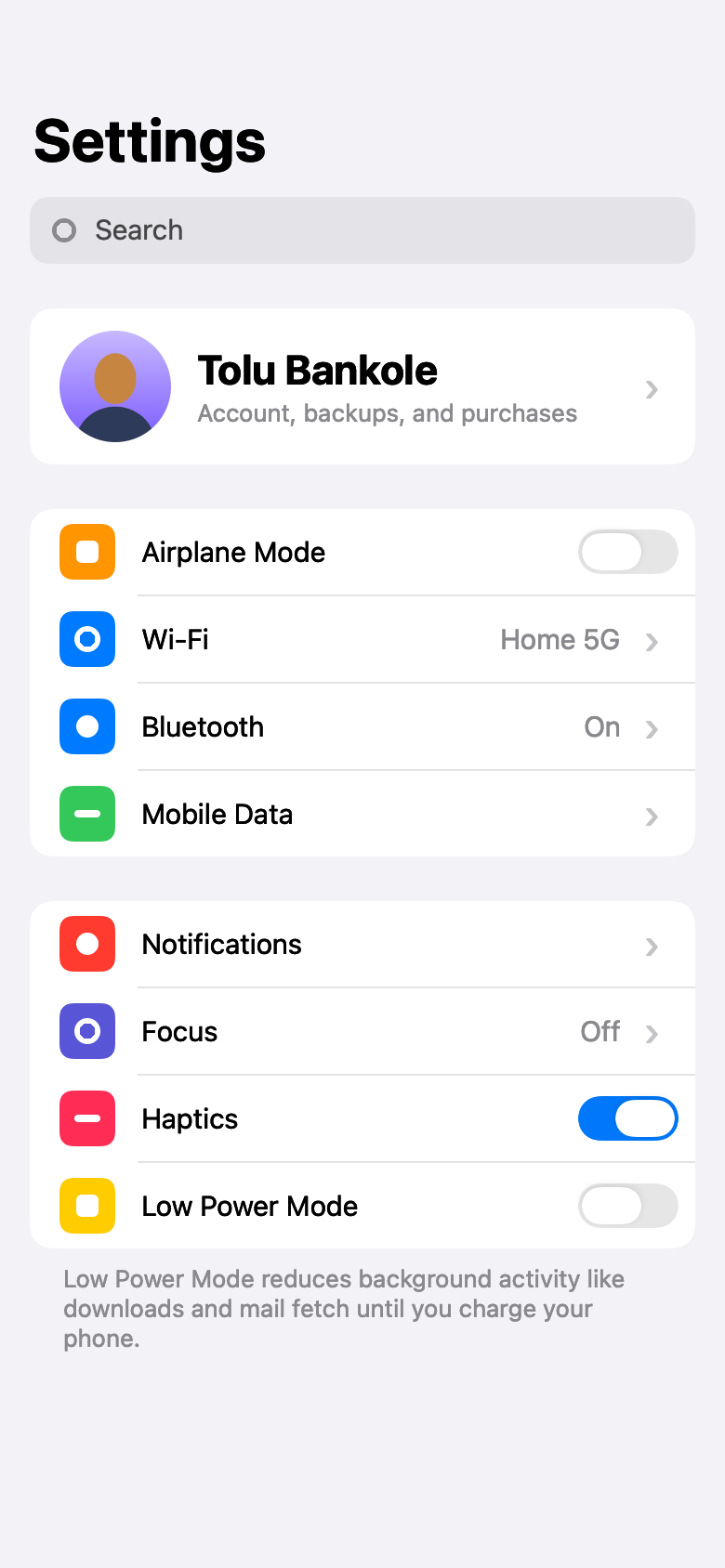


max_width so text wraps inside them, aligned left or right by align_self.
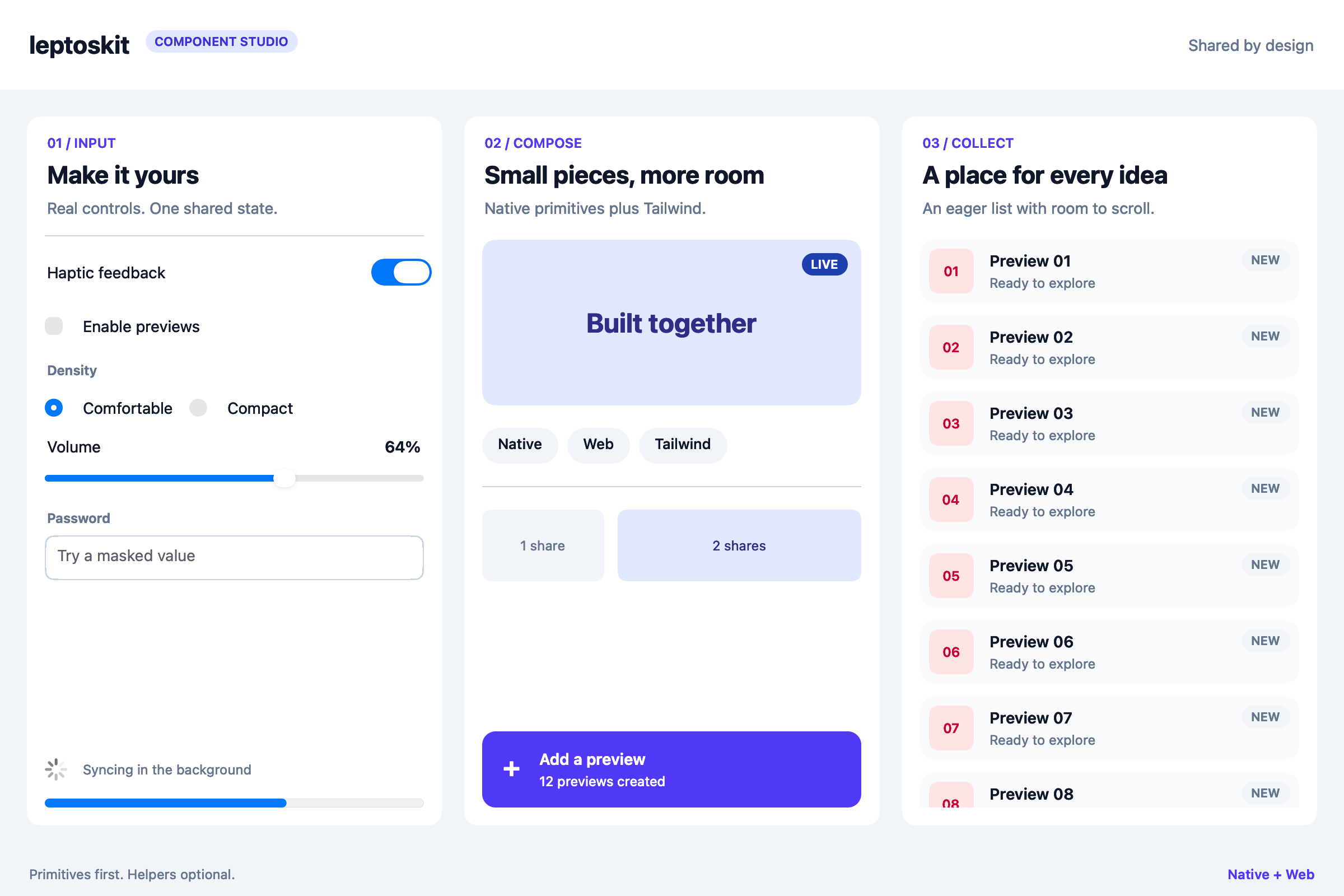
Worked examples#
The gallery shows what screens look like. These apps show how the pieces work together, each with tests that drive it the way a person would.
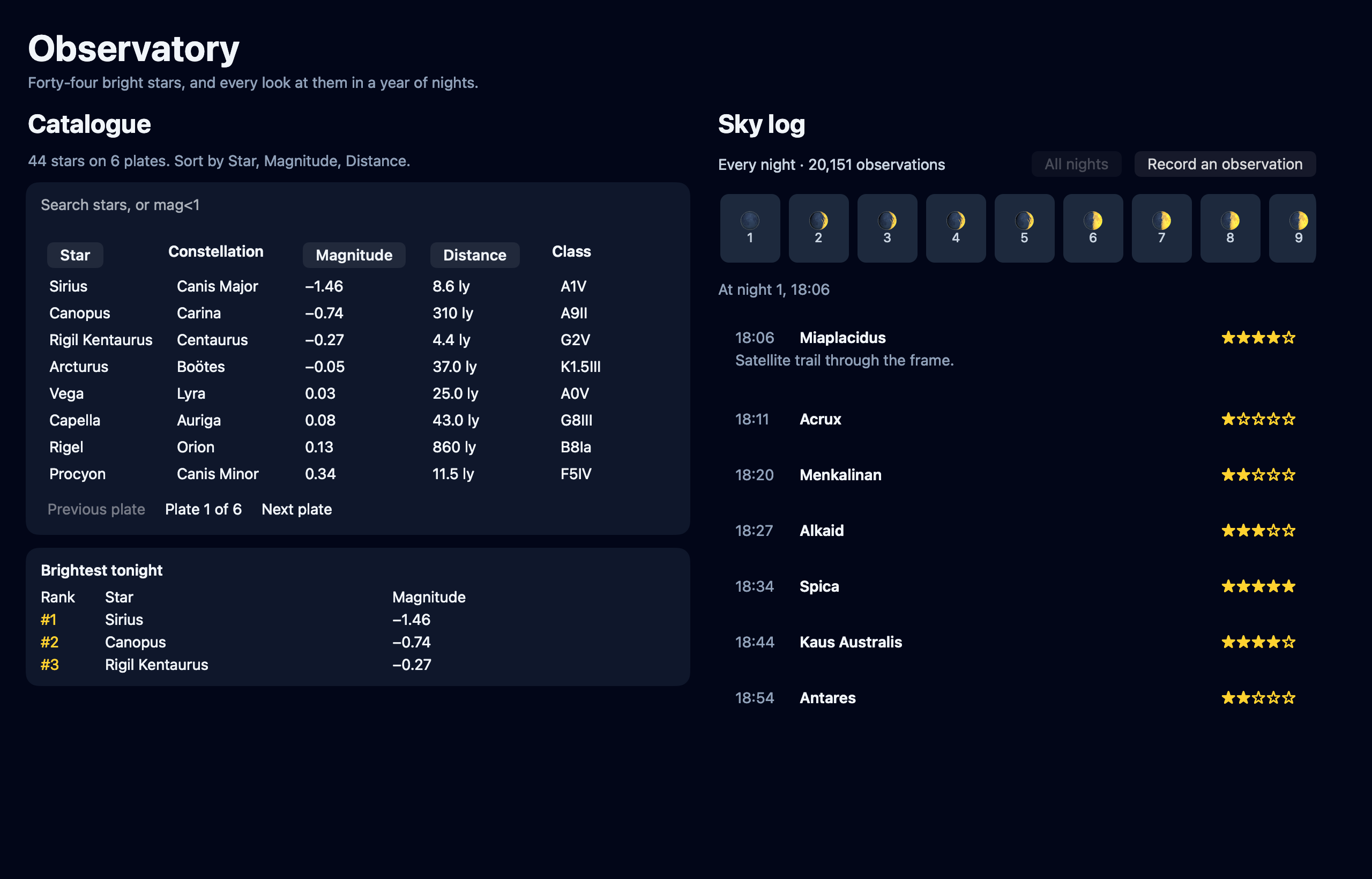
leptoskit_table, beside a year of sky observations and a ribbon of nights, both virtualized lists from leptoskit_virtual.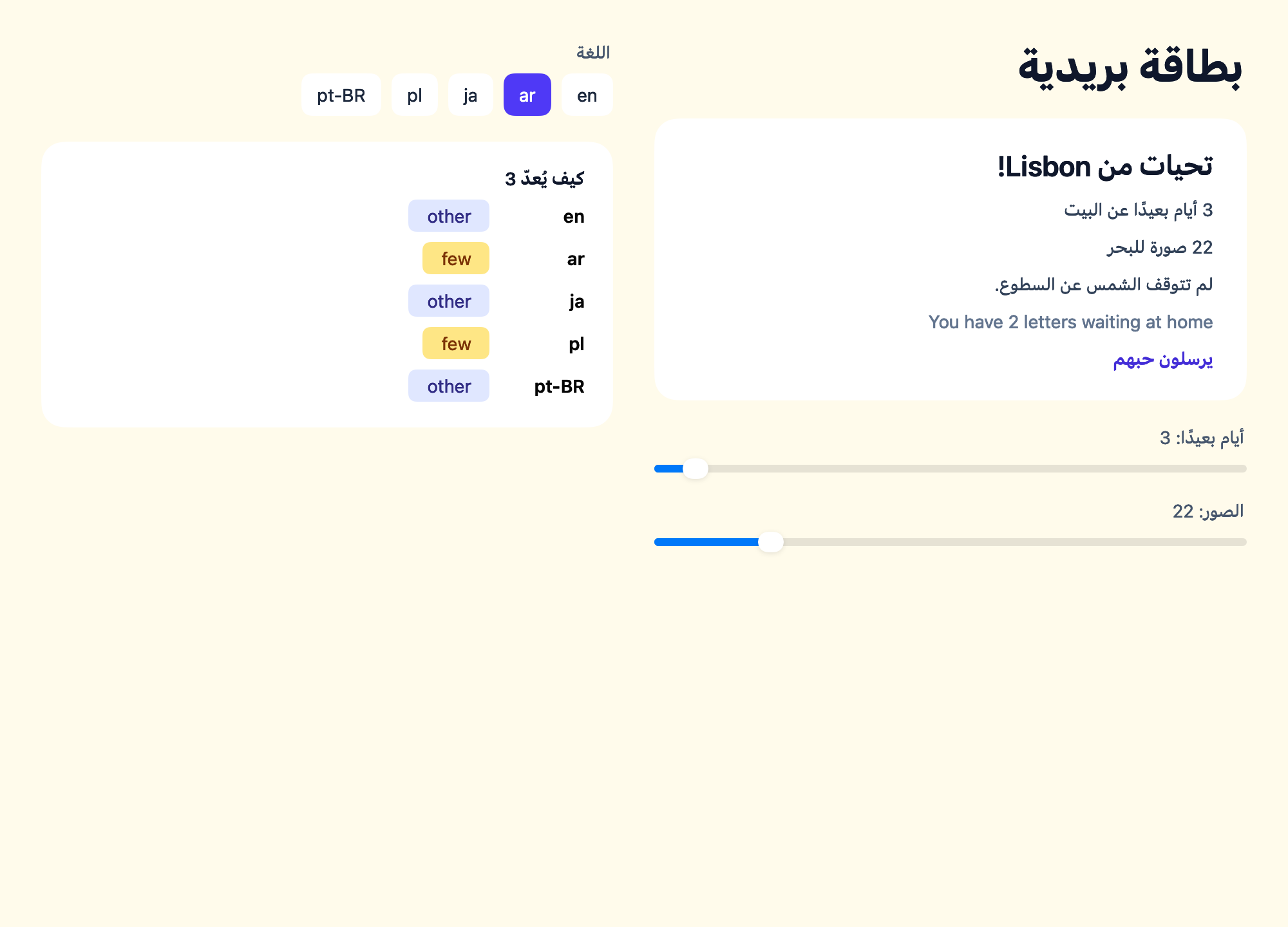
leptoskit l10n, mirrored right to left in Arabic, with a gauge of the plural form each language picks for the same number.A screen in a few lines#
Each of these screens is built the same way as this card, which is a column on phones and a row from the md breakpoint up:
use leptoskit::prelude::*;

#[component]
pub fn Card() -> Element {
	view! {
		<View class="gap-3 rounded-xl bg-slate-100 p-4 md:flex-row">
			<Text class="text-xl font-semibold">"Built once"</Text>
			<Button class="rounded-lg bg-indigo-500 px-4 py-2 text-white">"Continue"</Button>
		</View>
	}
}
The shared component guide shows how the same function renders natively and on the web. The CSS coverage reference lists the Tailwind utilities you can use.
The examples#
Every example lives in the leptoskit repository, most under examples/:
| Example | What it shows | Where it runs |
|---|---|---|
file_routes | Field, a notes app whose screens are files: the file router, layouts, typed links, and the whole build pipeline | Web and every native destination, through the same commands as an app you scaffold yourself |
gallery | Seven screens on every platform: flexbox, grid, forms, charts, chat bubbles | Every native backend and the browser; window and snapshot need macOS |
islands | Server rendering with leptos islands, one lazy chunk, and an 80 KiB initial-load budget | Web |
counter | The element tree, layout, mutation diffing, and a code push release, written with builder calls | The host, headlessly |
observatory | A star catalogue and a year of sky observations: tables and virtualized lists | A macOS window, or headlessly on any platform |
postcard | A postcard in five languages: typed translations with plurals, selects, fallback, and right-to-left layout | A macOS window, or headlessly on any platform |
harbor | A departure board: queries, hooks, and server functions with a generated client | The host, headlessly |
huddle | A team chat and task board: live queries, channels, and presence, jobs, actions, and the inbox, and sign-in | The browser, macOS, and iOS, against its own server; Fly or Compose to deploy |
release_lifecycle | A code push release from signing to a device that confirms it, a delta, a rollback, and a mirrored bucket | The host, headlessly |
Run them yourself#
file_routes#
Field is a complete app in the shape leptoskit new produces: one shared application, and runner projects for each platform. From the repository root:
cd examples/file_routes
leptoskit dev                        # the web app, rebuilding on change
leptoskit build --platform ios       # the six destinations all work
leptoskit plugin:router routes      # regenerate src/routes.rs after adding a screen
Its screens are files under src/routes/; the file routes guide walks through every convention.
gallery#
cargo run -p gallery -- list                  # the screen names
cargo run -p gallery -- window dashboard      # open one in a real macOS window
cargo run -p gallery -- snapshot screenshots  # render every screen to PNG at 2x
window and snapshot need macOS. On other platforms they say so and exit with an error.
The browser version renders the same seven screens, with working controls. The leptoskit CLI builds and serves it, and rebuilds when a file changes:
cd examples/gallery
leptoskit dev
A coding agent, in the terminal and the browser#
examples/opencode recreates the interface of the opencode coding agent's terminal app, cell for cell: the two-tone logo, the prompt, a conversation with markdown, a diff that splits side by side on wide screens, shell output, a context sidebar, and a command palette over a dimmed screen. Its screens are file routes, one element tree run in your terminal and in your browser, and the leptoskit CLI builds both. Every reply is scripted, so it runs offline:
cd examples/opencode
leptoskit dev                   # in the browser
leptoskit dev --platform tui    # in this terminal
observatory and postcard#
cargo run -p observatory_example                       # open it in a macOS window
cargo run -p observatory_example -- snapshot sky.png   # render it to PNG at 2x on macOS
cargo run -p observatory_example -- summary            # print what a screen reader would read, anywhere
cargo run -p postcard_example -- summary ar            # the postcard, in Arabic
The postcard opens in the language your LANG names when it has a translation, and in English otherwise. summary and snapshot take a tag, such as pl or ja, to choose one.
harbor#
cargo run -p harbor_example # a short morning at the harbour, printed as a screen reader reads itIts TypeScript client in examples/harbor/clients/typescript is generated. After changing a server function, run leptoskit rpc generate in examples/harbor to write it again.
huddle#
Huddle is a team chat with a task board, built to show every real-time piece at once: a sidebar whose private channels appear and vanish with their memberships, unread counts that agree with the messages, sending that shows at once and turns solid when the server has it, "Ada is typing…" and who's here, a board two people can rearrange at the same moment, an emailed invite that goes from Sending… to Email sent, a reminder, a tip settled by a background job against a simulated service (with Retry when it fails), a bell, a summary, and an admin signing someone out everywhere.
cd examples/huddle
leptoskit dev                    # the server and the web app, at http://127.0.0.1:3000
leptoskit dev --platform macos   # the same app as native widgets, against the same server
Open it in two browser windows and sign in as two people with the development buttons, then type in one. The example's readme covers the iOS simulator, deploying it to Fly to try it across machines, and its load generator, which opens thousands of simulated clients and measures the time from a write committing to each client's update.
release_lifecycle#
cargo run -p leptoskit_codepush --example release_lifecycleIt prints each step of a release as it happens: the store build, a release staged and confirmed, a delta, a rejected release and its fallback, and a mirror to a bucket.